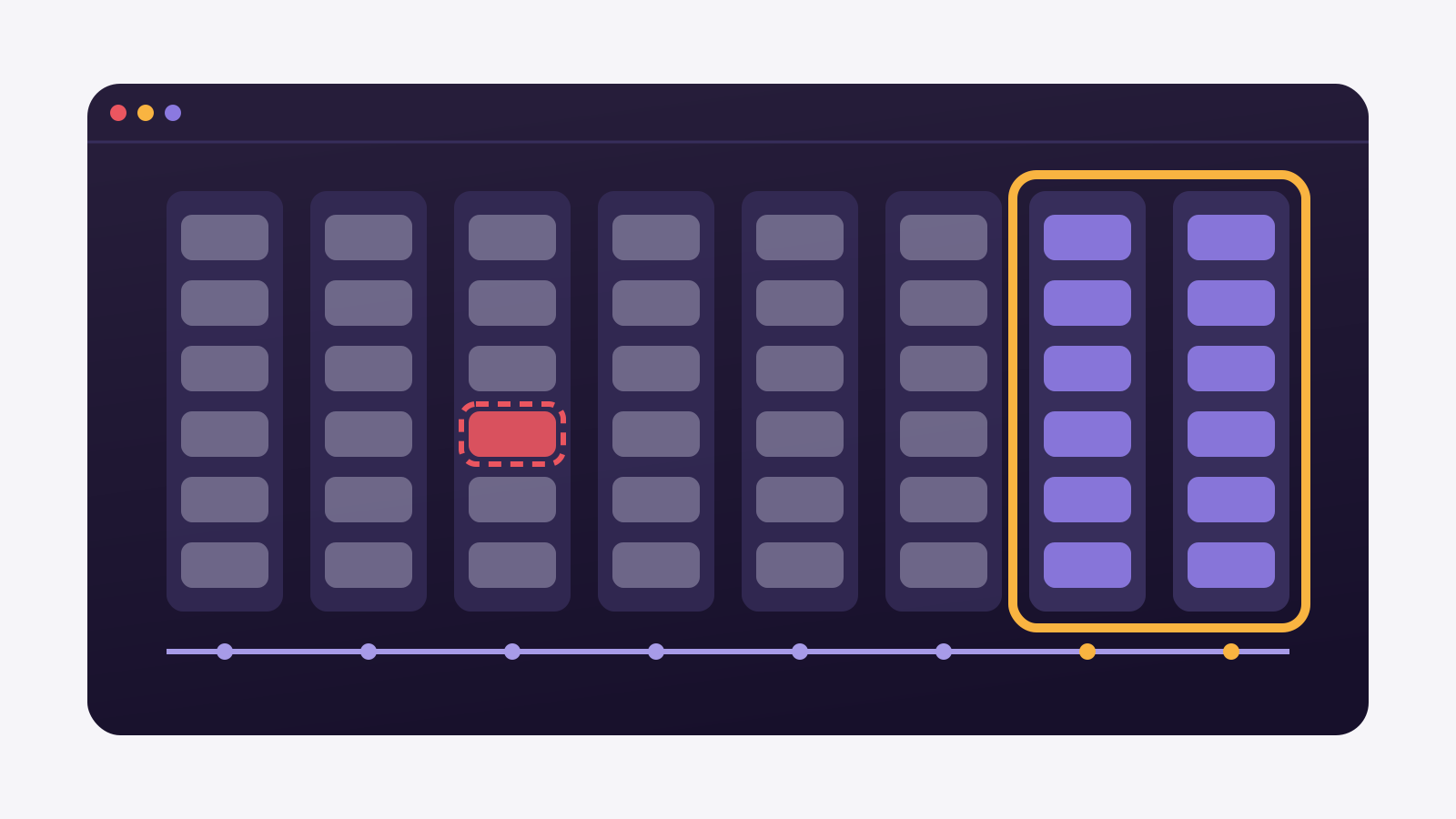
It is the end-of-quarter pipeline review. The sales manager spends the afternoon deleting July quotes that never turned into sales from the order system.
The next day, the open-orders dashboard in Power BI shows July at the same size. The BI analyst checks the source database, and the orders are gone. The scheduled refresh ran at 6 a.m. without an error.
Nothing is broken. The model uses incremental refresh, and the refresh window covers the last ten days. However, July left the window weeks ago, and what the source deletes outside it never leaves the model.
In this article we explain how incremental refresh decides what to reread, why a deletion at the source never reaches the model, how to measure the gap and what each fix costs.
How incremental refresh splits a table into windows
Incremental refresh exists for large tables that grow every day. Instead of rereading everything, the Power BI service splits the table into date partitions and rereads only the most recent ones.
- Archive period (Archive data starting): how much history the model keeps, for example the last five years.
- Refresh period (Incrementally refresh data starting): how much of the end of the table is reread on every run, for example the last ten days.
- RangeStart and RangeEnd: the two date parameters the service rewrites on every run to fetch only the window.
According to Microsoft's documentation, rows dated inside the refresh period are reread on every run. Older rows move to the historical period, which is not refreshed. Microsoft calls this a rolling window pattern.
The design assumes the past does not change.
For a log or sensor table, it holds. For an orders table, not always.
Why the model never sees a source deletion
A historical partition is frozen once it leaves the window. If a July order is deleted in October, the October query only asks for rows from the last ten days. The deleted row is never looked for, so it is never removed.
Inside the window the problem is smaller: the partition is reread, and whatever was deleted disappears on the next refresh. But one option brings the problem inside the window too.
Detect data changes. With this option, the service checks the maximum value of a last-modified date column in each period and rereads the period only if that value changed. A deletion does not raise that value, so the period stays as it was.
Microsoft warns, on the page that teaches how to configure the feature, that deleted rows are not detected. Only soft delete is: the row is still in the source, flagged as deleted and with an updated date in the column used for tracking changes.
On the official Power BI forum the same question came back, about a model of roughly 3 GB whose source can delete data. The answer repeated the mechanism: a row deleted from a historical partition may go unnoticed, because that partition is no longer refreshed.
The model does not miscount. It counts what it kept.
How to measure deleted rows the model still counts
Before changing any setting, it is worth knowing how big the gap is. The check is simple: the same monthly total, at the source and in the model.
Monthly total at the source
-- orders per month, straight from the source (PostgreSQL)
SELECT date_trunc('month', order_date) AS month,
       count(*)                        AS orders
FROM   sales.orders
GROUP  BY 1
ORDER  BY 1;
In Power BI, the same check is a table visual with the month on rows and a row count of the orders table. Months inside the window should match the source. Months outside it drift whenever the source deletes.
A concrete example
A building-supplies distributor keeps orders open for up to ninety days, and sales deletes the ones that do not close. With a ten-day window, every order deleted after day ten stays in the model. The monthly comparison shows the gap growing every quarter, never shrinking.
If the gap is zero in every month, the source does not delete and incremental refresh does what it promises. If not, the decision changes.
The monthly table tells you where the error is.
What widening, flagging or reloading costs
There are three fixes inside Power BI itself, and each one has a price.
- Widen the refresh window. If the source only deletes up to ninety days after the order, a ninety-day window solves it. The cost is rereading ninety days on every run, within the two-hour refresh limit of Power BI Pro.
- Switch hard deletes to soft deletes at the source. The row stays, flagged as deleted and with its last-modified date updated. It is the only case Microsoft documents as detected, and it means changing the source system.
- Reload history from time to time. Selective refresh of historical partitions is documented for Premium capacity, through the XMLA endpoint. Without it, what is left is republishing the model from Desktop, which removes the partitions and forces a full reload.
None of the three is free. The first trades deletes for refresh time, the second depends on another team, and the third depends on licensing or a maintenance window.
The source system rarely belongs to the BI analyst. Changing how it deletes is a request to the product team, with its own queue and priorities.
There is a fourth fix: reconcile before the model.
When not to use incremental refresh on a table
Incremental refresh is the right choice for tables that only receive new rows: access logs, sensor readings, closed inventory movements. There the past does not change, and a short window saves real time.
For tables whose past changes, the question is different. Cancelled orders, merged customer records and reversed invoices touch old rows. Who guarantees history still matches the source?
If the answer is the Power BI model itself, the window must cover the whole horizon in which the source deletes. If the table already arrives reconciled in a database, the model can import it whole or query it directly, with no window at all.
The right setting depends on how each source behaves.
Where Januss comes in
In Januss, reconciliation happens in the destination database, before Power BI. On PostgreSQL, MySQL, SQL Server, Oracle and MongoDB, CDC reads the transaction log, and the log records a deletion just as it records an insert. An order deleted at the source reaches the pipeline as a deletion, not as silence.
In transformation steps, incremental processing comes with a stated guarantee: the destination table ends up identical, row by row, to what a full reload would produce. The engine reprocesses only the scope that changed and deletes what disappeared, which is where an upsert alone leaves debris behind.
With CDC sync, the default is to delete the row in the destination too. If you prefer to keep the row flagged as deleted, the Flag option exists per stream, for tables with a primary key.
Januss does not control the Power BI model. If you turn on incremental refresh over the destination table, the historical partitions in the model still will not see the deletion. With the table already reconciled in the database, importing it whole or querying it directly is the simplest path.
Want to check it against your own orders table? The 14-day trial needs no card. Create your Januss trial workspace.
Sources
Incremental refresh behaviour comes from Microsoft's documentation and the official Power BI forum:
- Microsoft Learn — Configure incremental refresh and real-time data
- Microsoft Learn — Incremental refresh and real-time data for semantic models
- Microsoft Fabric forum — incremental refresh
Create your workspace in minutes.
Point at your source and watch the data reach the database the same day.