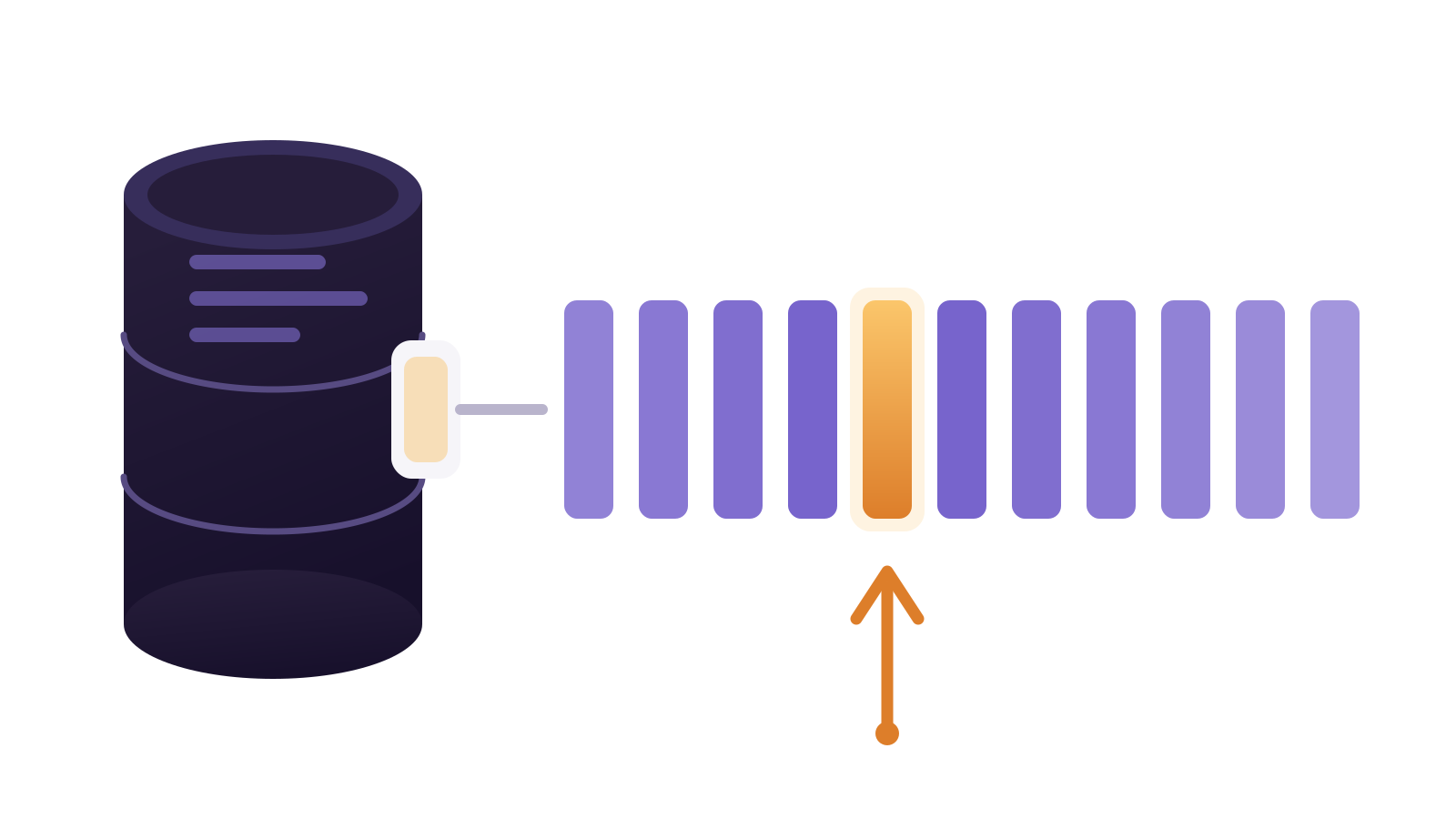
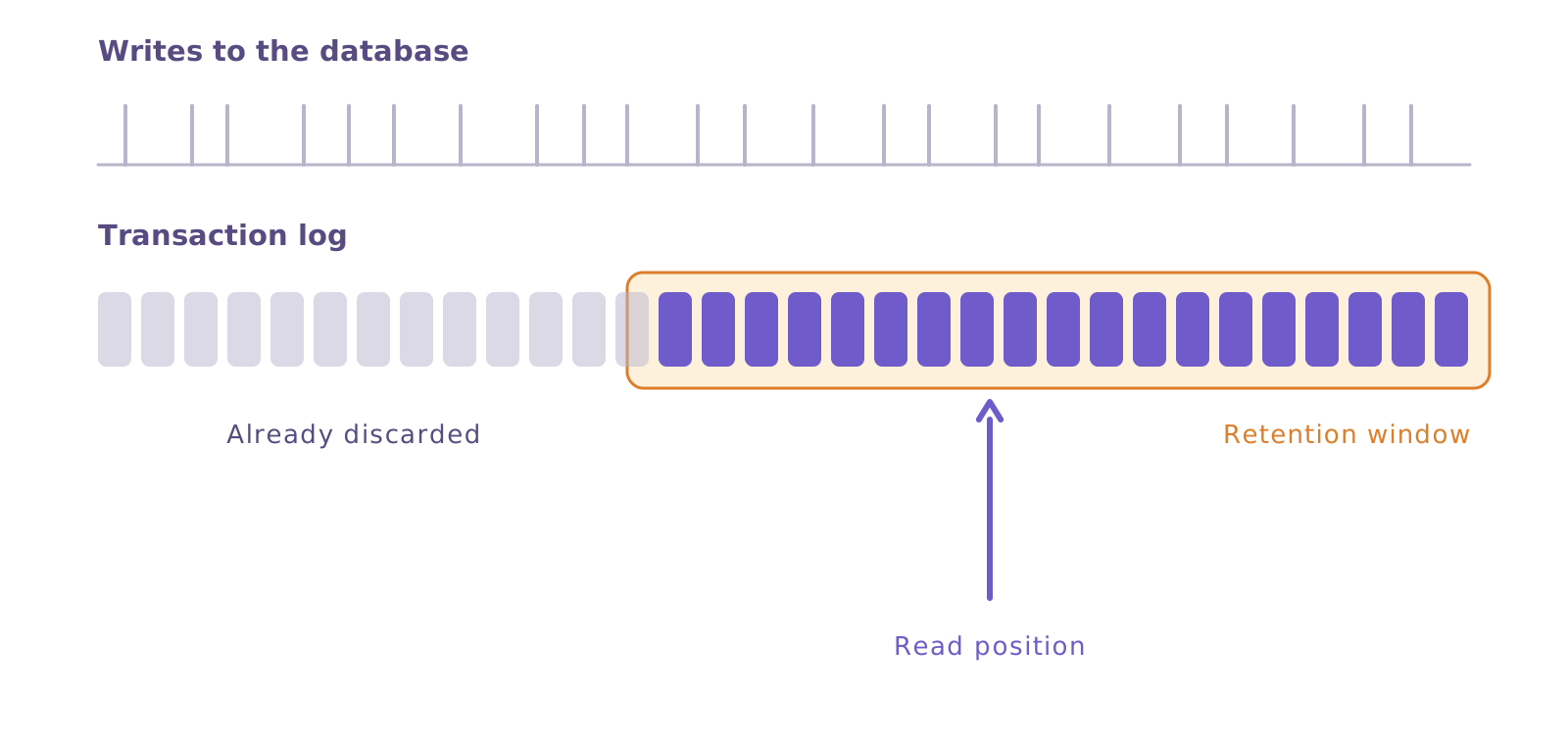
Change data capture (CDC) is not a feature you switch on in the integration tool. It is a setting in the source database. The database already writes every change to the transaction log, so it can recover from a crash. What is missing is permission to read that log, and a guarantee that it will not be discarded too soon.
This guide collects the commands for PostgreSQL, MySQL, SQL Server and Oracle, self-hosted and on Amazon RDS, and what usually trips you up in each one.
Three decisions before you touch any database
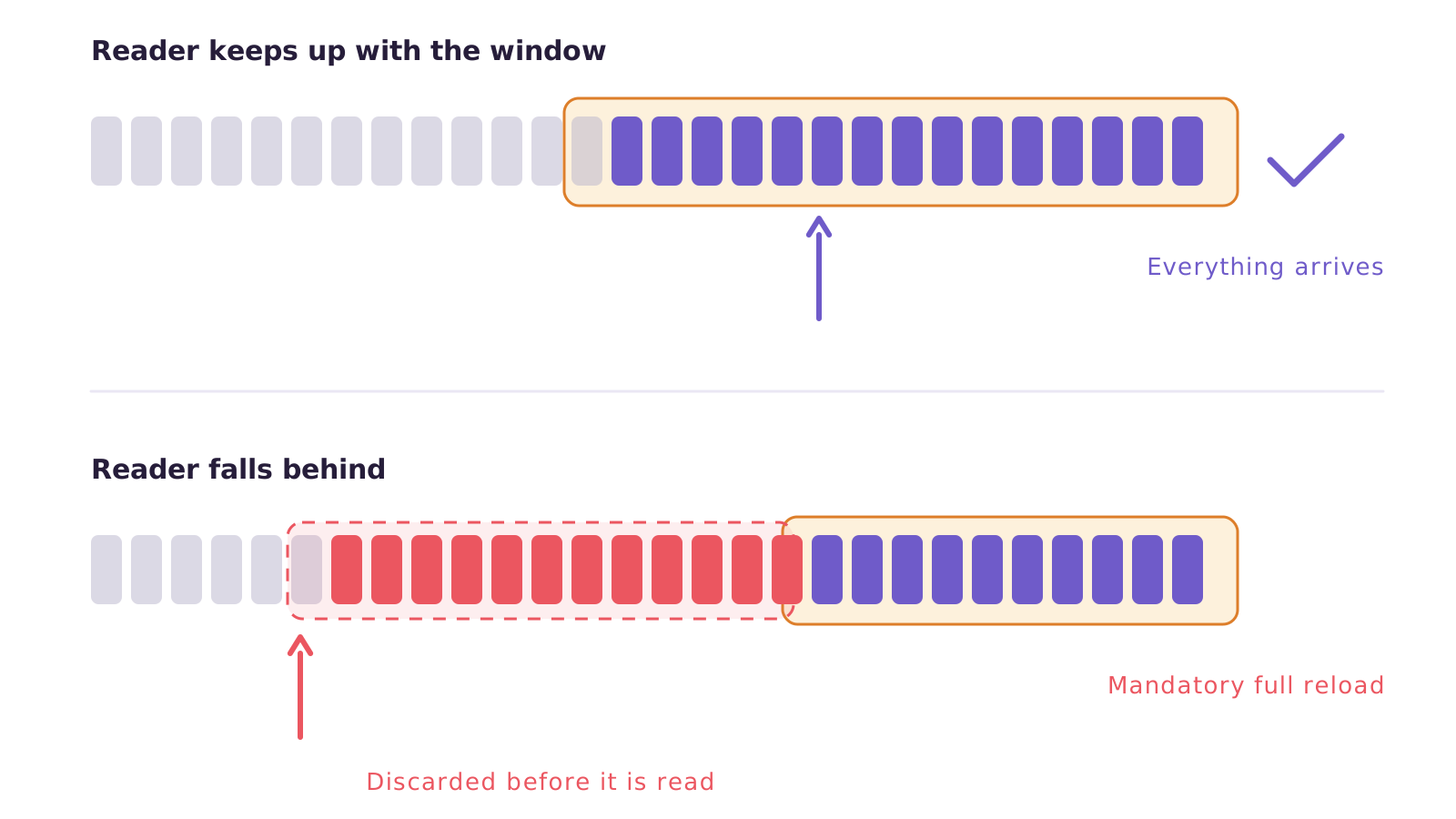
Log retention. It is the only setting that causes real data loss. If the database discards the log before it is read, the only way out is to reload the whole table. Start at 24 hours and adjust after measuring how much log you generate per day.
A dedicated user. Do not use the administrator account. Create a user just for reading, with the minimum permissions each database requires. When something stalls, you will know exactly who was reading.
Primary keys. A table with no primary key is trouble in all four. Without one, the database cannot identify which row changed, and the configuration changes — almost always for the worse, writing more to the log.
Settle all three before you open the console.
PostgreSQL
It needs wal_level set to logical. On a self-hosted server, that setting lives in postgresql.conf and requires a restart:
postgresql.conf
wal_level = logical
max_replication_slots = 10
max_wal_senders = 10
Then a user with the replication attribute:
sql · read-only user
CREATE ROLE cdc_reader WITH LOGIN REPLICATION PASSWORD 'password';
GRANT SELECT ON ALL TABLES IN SCHEMA public TO cdc_reader;
For tables with no primary key, PostgreSQL does not write the old values on updates and deletes. You fix that table by table:
sql · table without a primary key
ALTER TABLE my_table REPLICA IDENTITY FULL;
On Amazon RDS the path is different. The wal_level parameter is not directly editable. You create your own parameter group, because the default one cannot be changed. In it, you set rds.logical_replication to 1 and restart the instance — the parameter is static and only takes effect after the restart.
AWS applies wal_level = logical from then on. The reading user gets the role with GRANT rds_replication TO cdc_reader;.
Check that it took effect:
sql · verification
SHOW wal_level;   -- expected: logical
SELECT slot_name, active, restart_lsn FROM pg_replication_slots;
What goes wrong here: a replication slot that is created and never read holds the log indefinitely. The disk fills up and the instance goes down. If you abandon a test, drop the slot.
MySQL and MariaDB
The binary log has to be on, in row format, with the full image:
my.cnf
log_bin = ON
binlog_format = ROW
binlog_row_image = FULL
server_id = 1
binlog_expire_logs_seconds = 86400
binlog_row_image = FULL is the one usually missing. Without it, MySQL writes only the changed columns, and the row arrives incomplete on the other side.
The user needs three permissions:
sql · read-only user
CREATE USER 'cdc_reader'@'%' IDENTIFIED BY 'password';
GRANT SELECT, REPLICATION SLAVE, REPLICATION CLIENT ON *.* TO 'cdc_reader'@'%';
On Amazon RDS, the binary log only exists if automated backups are enabled. Retention is set through a procedure, not a parameter:
sql · retention on rds
CALL mysql.rds_set_configuration('binlog retention hours', 24);
The ceiling is 168 hours, or seven days. Above that the value is not accepted.
Check that it took effect:
sql · verification
SHOW VARIABLES WHERE Variable_name IN
  ('log_bin','binlog_format','binlog_row_image','server_id');
SQL Server
Here, capture is a built-in feature of the database itself. You enable it on the database and then on each table:
sql · enable on the database and on the table
EXEC sys.sp_cdc_enable_db;

EXEC sys.sp_cdc_enable_table
  @source_schema = N'dbo',
  @source_name   = N'orders',
  @role_name     = NULL,
  @supports_net_changes = 1;
SQL Server Agent has to be running at all times. It is the dependency that brings down the most deployments. Capture runs as an Agent job. With the Agent stopped, the log is truncated and unread changes are lost — with no warning and no recovery.
The default cleanup discards captured changes after three days. If your pipeline can sit idle longer than that, adjust it beforehand.
On Amazon RDS, AWS does not grant server administrator privileges, so the database-level step uses a different procedure:
sql · enable on rds
EXEC msdb.dbo.rds_cdc_enable_db 'my_database';
From there, sys.sp_cdc_enable_table works normally for each table. One detail catches people off guard: restores turn capture off and delete the metadata. After restoring a backup or going back to a point in time, you have to enable everything again.
Check that it took effect:
sql · verification
SELECT name, is_cdc_enabled FROM sys.databases WHERE name = 'my_database';
EXEC sys.sp_cdc_help_change_data_capture;
The Express edition does not support capture. Standard has supported it since version 2016 with the first service pack.
Oracle
Two requirements: the database in ARCHIVELOG mode and supplemental logging enabled. Supplemental logging is what makes Oracle write the columns needed to identify the changed row — without it, the log exists but is of no use.
On a self-hosted server:
sql · supplemental logging
ALTER DATABASE ADD SUPPLEMENTAL LOG DATA;
ALTER DATABASE ADD SUPPLEMENTAL LOG DATA (PRIMARY KEY) COLUMNS;
On Amazon RDS, you have no system administrator access, and everything goes through the rdsadmin package. ARCHIVELOG mode is enabled indirectly: just turn on automated backups with retention greater than zero.
sql · retention and supplemental logging on rds
BEGIN
  rdsadmin.rdsadmin_util.set_configuration(
    name  => 'archivelog retention hours',
    value => '24');
END;
/
COMMIT;

EXEC rdsadmin.rdsadmin_util.alter_supplemental_logging('ADD');
EXEC rdsadmin.rdsadmin_util.alter_supplemental_logging('ADD','PRIMARY KEY');
The COMMIT after the retention setting is not optional. Without it the change does not take effect — and the AWS documentation calls this out because so many people forget.
To check that supplemental logging is active:
sql · verification
SELECT supplemental_log_data_min, supplemental_log_data_pk FROM v$database;
You want YES in both columns.
The four databases side by side
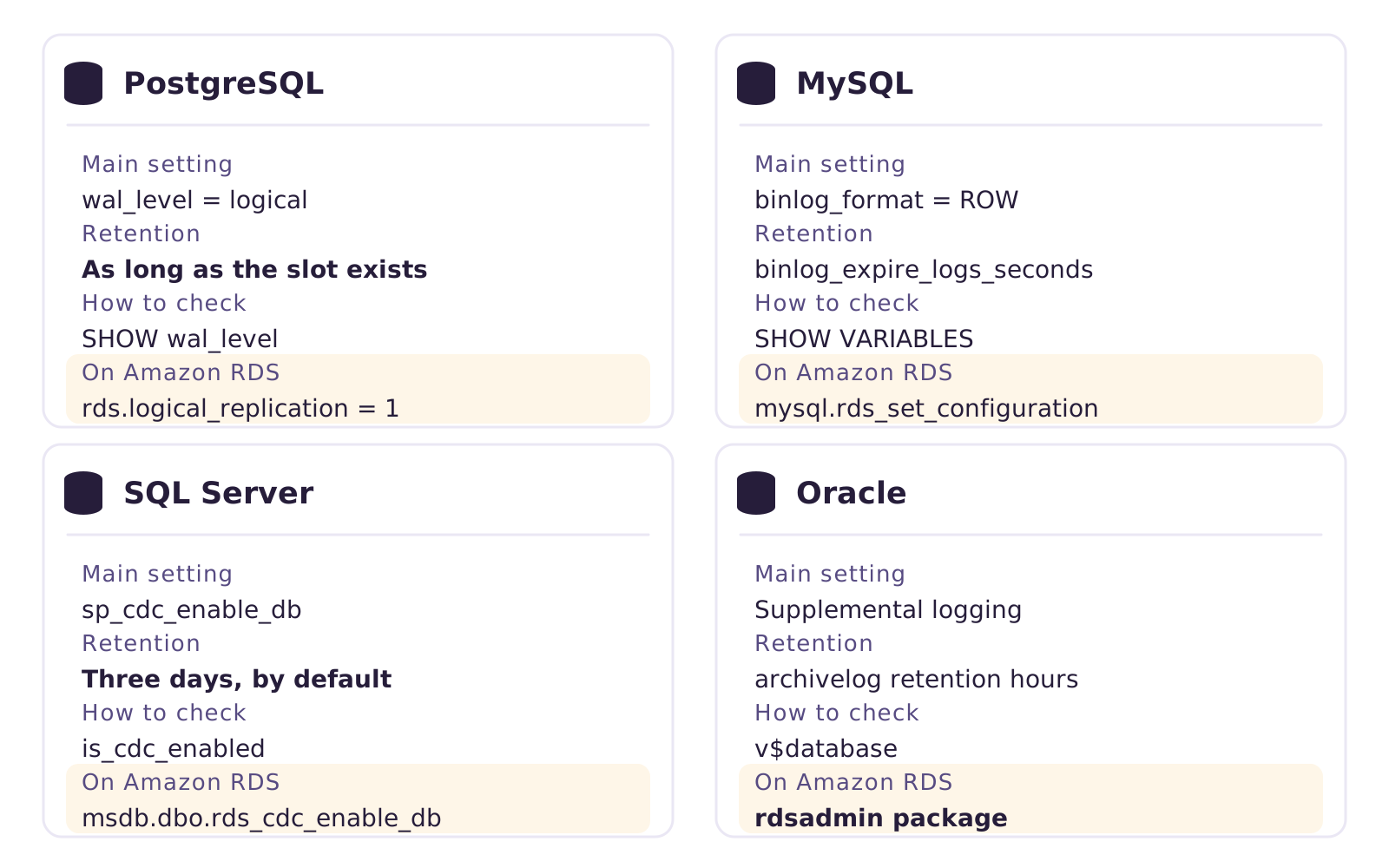
| Main setting | Retention | How to check | Difference on Amazon RDS | |
|---|---|---|---|---|
| PostgreSQL | wal_level = logical | As long as the slot exists | SHOW wal_level | rds.logical_replication = 1 in your own parameter group, with a restart |
| MySQL | binlog_format = ROW and binlog_row_image = FULL | binlog_expire_logs_seconds | SHOW VARIABLES | The mysql.rds_set_configuration procedure, capped at 168 hours |
| SQL Server | sp_cdc_enable_db and per table | Three days, by default | sys.databases.is_cdc_enabled | msdb.dbo.rds_cdc_enable_db in place of the system procedure |
| Oracle | Supplemental logging and ARCHIVELOG mode | archivelog retention hours | v$database | Everything through the rdsadmin package, and COMMIT is mandatory |
What usually goes wrong
A concrete example
A distributor enables capture on SQL Server one Friday, validates everything and leaves for the weekend. On Monday the team finds that the server restarted for maintenance and the Agent did not come back up with it. Three days of changes were not captured and the log had already been truncated. The only way out was reloading all seven tables from scratch, during business hours.
The four most frequent problems, in order of pain:
- Retention set too short. Always discovered afterwards, when there is nothing left to recover.
- An abandoned replication slot on PostgreSQL. The opposite of the above: the log is never discarded and the disk fills up.
- A table with no primary key. The setup passes, the load runs, and deletes never reach the destination.
- Permission granted on the database but not on the right schema. It fails only on the first read, not on the connection test.
None of these show up on deployment day. All of them show up in the second week.
Where Januss comes in
Januss checks these prerequisites before it lets you save the connection. If the database is not ready, the connection does not go through and the message points at what is missing — the wording changes with the database, because the setting changes too. You find out on screen, not on the first run.
Once the setup is done, Januss reads the transaction log on all five supported databases: PostgreSQL, MySQL, SQL Server, Oracle and MongoDB. And on every plan, including the entry one. If the log rotates before it is read, the reload is automatic — no wrong numbers at the destination.
One thing Januss does not do: change your database. None of the commands above are run by the platform. The check is read-only, the command is yours, and what changes in production is your team's call.
With the database configured, the rest is choosing the tables and the sync mode. Want to try it with a table of your own? It is a 14-day trial, no credit card: create your workspace.
Sources
The Amazon RDS commands were checked against the official AWS documentation:
- Logical replication for Amazon RDS for PostgreSQL
- Setting and showing binary log configuration (MySQL)
- Using change data capture for Amazon RDS for SQL Server
- Retaining archived redo logs (Oracle)
- Performing common log-related tasks for Oracle DB instances
Create your workspace in minutes.
Configure the database once and watch changes arrive at the destination through the transaction log.